
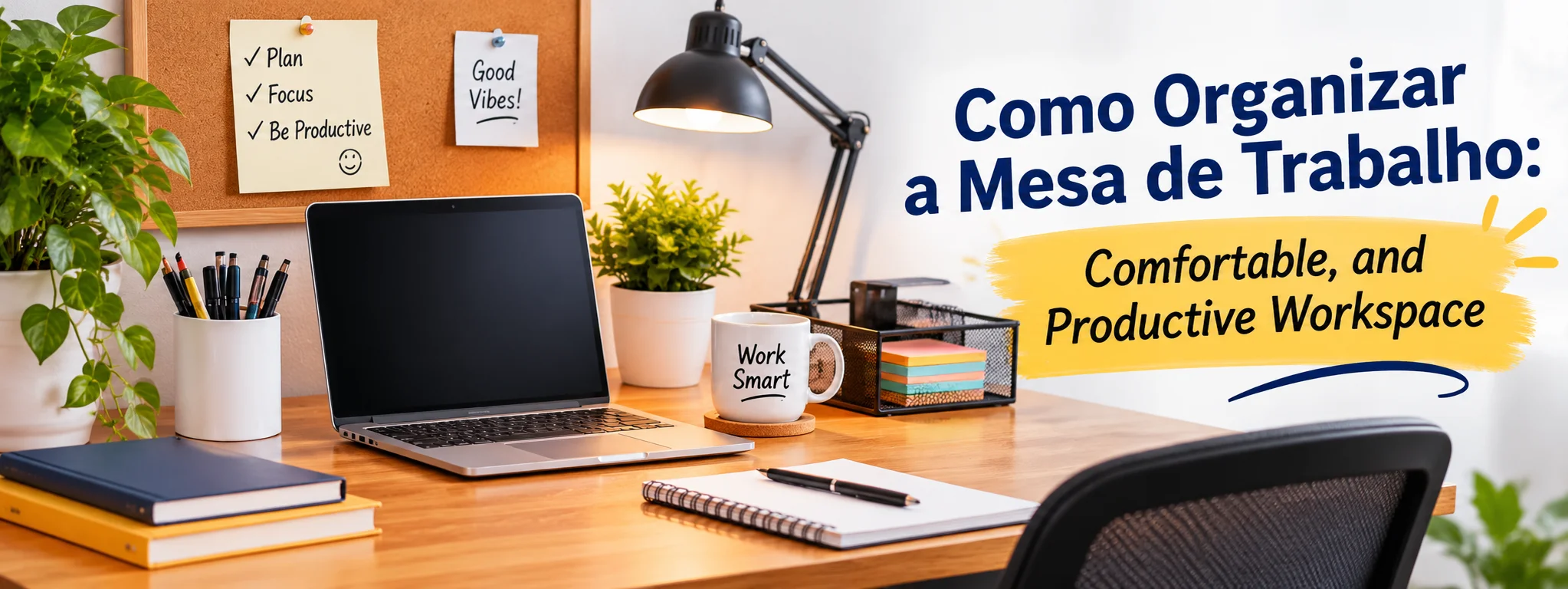
A well-organized workspace can improve the way you manage your daily responsibilities. Whether you work in an office, study at home, or use a desk for personal projects, keeping your surroundings tidy can make everyday activities easier and more comfortable. Learning how to organize your work desk involves more than removing clutter. It means using practical work desk organization ideas to arrange your equipment, supplies, and documents in a way that supports your daily routine.
A messy desk can create unnecessary distractions. Looking for missing papers, untangling charging cables, or moving objects to make room can interrupt your concentration. A properly organized workspace, however, makes essential items easier to find and creates a more comfortable environment.
Why Should You Keep Your Work Desk Organized?
Your surroundings can influence how efficiently you complete everyday tasks. When office supplies and documents are scattered everywhere, simple responsibilities may take longer than necessary. Effective desk organization creates a practical arrangement that allows you to focus on important activities.
Keeping your workspace tidy also offers several advantages:
- Better focus: Removing unnecessary objects helps reduce visual distractions.
- Improved efficiency: Organized supplies and documents are easier to locate.
- More working space: Proper desk storage solutions keep the main surface available.
- Greater comfort: Correct equipment placement supports a convenient working position.
- Pleasant surroundings: A tidy environment makes your workspace more inviting.
The purpose of work desk organization is not to make your desk look like a showroom. It is to create a setup that matches your daily activities and makes working easier.
How to Organize Your Work Desk for Better Productivity
You can create a functional and productive workspace without purchasing expensive furniture or complicated storage equipment. Start with a few practical changes and gradually develop an arrangement that works for you.
1. Clear Your Desk Before Organizing
Begin by taking everything off your desk. Remove your computer accessories, paperwork, stationery, decorations, and personal belongings.
Once the surface is empty, clean it with an appropriate cleaning product. Switch off electronic equipment before cleaning and never apply liquids directly to computers or other devices.
Next, separate your belongings into three categories:
- Things you use every day.
- Items you need occasionally.
- Belongings that can be stored elsewhere or removed.
This process gives you a better understanding of your available space and helps prevent unnecessary items from returning to your desktop.
2. Arrange Your Everyday Essentials
Keeping too many supplies within reach can make your desk feel crowded. Instead of displaying everything you own, identify the items you regularly need.
Your essential workspace equipment may include:
- A desktop computer or laptop.
- A keyboard and mouse.
- A notebook or daily planner.
- A small selection of writing tools.
- A water bottle.
- Frequently used charging accessories.
Place additional stationery, spare cables, and other supplies inside drawers or storage containers.
Pay attention to your daily routine. Items you rarely use do not need to occupy valuable desktop space. This simple desk organization idea helps maintain a clean and functional working area.
3. Create a Better Cable Management System
Charging wires and electronic connections can quickly make a workspace look untidy. Tangled cables also make it harder to clean around your equipment.
Simple cable management accessories can help keep everything organized. Cable clips, adhesive holders, sleeves, and storage boxes are useful options.
You can improve cable organization by following these suggestions:
- Separate cables according to the devices they connect.
- Use labels to identify different wires.
- Keep charging accessories together.
- Position cables away from liquids and heat.
- Avoid pulling, twisting, or sharply bending wires.
A simple cable management system makes your workspace look cleaner and allows easier access to electronic connections.
4. Make Smart Use of Drawers and Storage Organizers
Desk drawers are useful for keeping occasional supplies out of sight while ensuring they remain accessible. Drawer dividers and small containers can separate belongings into specific categories.
Give each category a dedicated location. Check your drawers occasionally and remove items you no longer need. These simple desk storage solutions make it easier to maintain an organized workspace.
How to Arrange a Home Office Desk
A home workspace often serves multiple purposes. The same room may be used for studying, entertainment, household activities, and professional responsibilities.
Good home office desk organization can help establish a consistent routine and reduce distractions. You do not need a large room or expensive office furniture to create a useful workstation.
Select a Suitable Workspace Location
Choose an area where you can work without frequent interruptions. A quiet corner with enough room for your desk and chair can be suitable.
You do not necessarily need a separate office. A small workstation in a bedroom or living room can provide enough space for everyday tasks.
Whenever possible, avoid placing your desk in a busy walkway or directly beside areas where household activities regularly take place.
Improve the Lighting Around Your Desk
Good lighting makes reading, writing, and computer activities more comfortable.
If your room receives natural daylight, arrange your desk to benefit from it without creating uncomfortable screen reflections.
For darker rooms, an adjustable desk lamp can provide additional illumination. Position it so that it lights your working area without interfering with your computer screen.
Keep Professional and Personal Items Separate
A few personal decorations can make a home office more welcoming. However, excessive accessories may reduce the space available for essential equipment.
You might include a small indoor plant, a photograph, or a simple decorative item.
Keep the arrangement balanced so that personal belongings add character without distracting you from your responsibilities.
Useful Accessories for a Clean and Functional Work Desk
The right desk accessories can make workspace organization easier and improve the overall usability of your desk.
You do not need to purchase everything at once. Identify the areas that require improvement and select products that address those needs.
Laptop and Monitor Stands
A suitable laptop or monitor stand can raise your screen to a more convenient viewing height.
When using a laptop for extended periods, an external keyboard and mouse can provide greater flexibility in arranging your workstation.
Adjust the equipment according to your sitting position to avoid unnecessary neck bending or uncomfortable reaching.
Compact Pen Holders
A pen holder provides one convenient location for frequently used writing supplies.
Choose a compact organizer that holds your essential stationery without taking up too much desktop space.
Document Sorting Trays
Paperwork can become difficult to manage when different documents are placed in one pile.
A simple tray system can separate materials according to their progress:
- To Do: Documents that require attention.
- In Progress: Papers connected with current activities.
- Completed: Finished paperwork that needs to be filed.
This arrangement makes it easier to track responsibilities and manage document organization.
Cable Management Accessories
Cable clips, sleeves, and storage boxes help prevent wires from spreading across your desk.
They also make it easier to clean the workspace and locate the correct connection when needed.
Adjustable Desk Lighting
A desk lamp with an adjustable head allows you to direct light toward a notebook, document, or other working area.
Select a suitable size and position it where it does not interfere with your available desktop space.
How to Organize a Small Work Desk Efficiently
Limited desk space does not mean you cannot create a comfortable and practical workstation. The key is to use the available area carefully and avoid unnecessary storage items.
These small desk organization ideas can help you make better use of your workspace.
Take Advantage of Wall Storage
Wall-mounted shelves, pegboards, and hanging organizers can provide additional storage without covering your desktop.
Use them for books, notebooks, stationery, and documents that you need occasionally.
This approach keeps frequently used equipment accessible while leaving more room for everyday activities.
Select Space-Saving Organizers
Vertical and stackable organizers make better use of limited space.
Small trays, compact boxes, and tiered storage units can hold paperwork and office supplies without spreading everything across the desk.
Choose organizers according to the size of your workspace rather than purchasing products simply because they look attractive.
Limit Decorative Accessories
A small desk can quickly become overcrowded when too many decorative objects are added.
Select a few items that make the environment pleasant while keeping the central working area clear.
You should have enough room to use your keyboard, write comfortably, and arrange documents without constantly moving other objects.
Common Desk Organization Mistakes to Avoid
Even a well-arranged workspace can become cluttered again if you develop habits that encourage unnecessary accumulation.
Avoiding these common work desk organization mistakes can help maintain a cleaner desk.
Mixing Different Supplies in One Drawer
Placing unrelated objects together may hide clutter rather than solve the problem.
Separate your supplies into categories and use drawer dividers to keep similar belongings together.
Allowing Paperwork to Accumulate
Old notes, unused printouts, and unnecessary documents can occupy valuable storage space.
Review your paperwork regularly and remove materials that are no longer needed. Store important professional, financial, and legal documents appropriately according to their retention requirements.
Purchasing Unnecessary Storage Products
Buying several organizers does not automatically create a better workspace.
First, identify what is making your desk difficult to manage. You may only need a simple pen holder, a drawer divider, or a small cable organizer.
Overlooking Ergonomic Arrangements
A visually attractive desk should also support a comfortable working position.
Consider your chair height, monitor placement, keyboard position, and available legroom. Arrange equipment so that you can work without unnecessary reaching or awkward positioning.
Daily Habits for Maintaining an Organized Workspace
Organizing your desk once is helpful, but maintaining that arrangement requires regular attention. Developing a few simple habits can prevent clutter from building up again.
Try this everyday routine:
- Before starting work: Prepare the equipment and materials needed for your planned activities.
- While working: Return supplies to their proper locations after using them.
- Between tasks: Arrange documents and remove unnecessary objects before moving to another activity.
- At the end of the day: Clear the desktop and store essential accessories.
- Once a week: Review drawers, stationery, paperwork, and cable arrangements.
Spending a few minutes maintaining your workspace can save time and reduce the need for major cleaning sessions. Consistent habits are one of the easiest ways to keep your desk organized.
How to organize your work desk
A productive environment involves more than keeping your desk clean. Your furniture, equipment, and daily routine should also support your working requirements.
Consider these practical workspace organization tips:
- Adjust your chair and desk to support a comfortable sitting position.
- Position your screen at a suitable viewing height.
- Place frequently used equipment within easy reach.
- Take regular breaks to move around and rest your eyes.
- Maintain a task list to organize important responsibilities.
Your workstation should also reflect the type of work you perform.
For example, a graphic designer may need additional room for creative equipment, while a student may prefer an arrangement with accessible notebooks and study materials. Someone who writes regularly may benefit from keeping reference documents and stationery nearby.
There is no universal desk arrangement that works for everyone. A successful workspace combines practical storage, comfortable positioning, and an organized layout.
Final Thoughts
Learning how to organize your work desk can help you create a cleaner, more comfortable, and functional working environment. Simple changes such as clearing unnecessary objects, arranging stationery, controlling cables, and using available storage can make everyday activities easier.
You do not need expensive furniture or a collection of accessories to improve your workspace. Start with the equipment you already own, assign specific places for important items, and develop a consistent cleaning routine.
Remember how to organize your work desk that an effective desk does not need to remain perfectly arranged throughout the day. It simply needs to provide enough space, comfort, and organization to support your daily responsibilities.
Frequently Asked Questions
1. How to organize your work desk?
Start by removing unnecessary belongings, cleaning the surface, sorting your supplies, and returning essential items to convenient locations. Use drawers and organizers for everything you do not need regularly.
2. Which items should remain on a work desk?
Keep frequently used equipment such as your computer, keyboard, mouse, notebook, writing tools, and necessary accessories. Store extra supplies in drawers or cabinets.
3. How can I arrange a small office desk?
Make use of vertical storage, wall shelves, compact organizers, and drawer dividers. Keep decorations limited and leave enough open space for your main activities.
4. What is the best way to maintain a tidy workspace?
Develop a routine of returning items after use, organizing documents, managing cables, and cleaning the desktop at the end of each working day.
5. Which desk accessories help with organization?
Useful accessories include monitor stands, pen holders, document trays, cable clips, drawer dividers, storage boxes, and adjustable desk lamps.