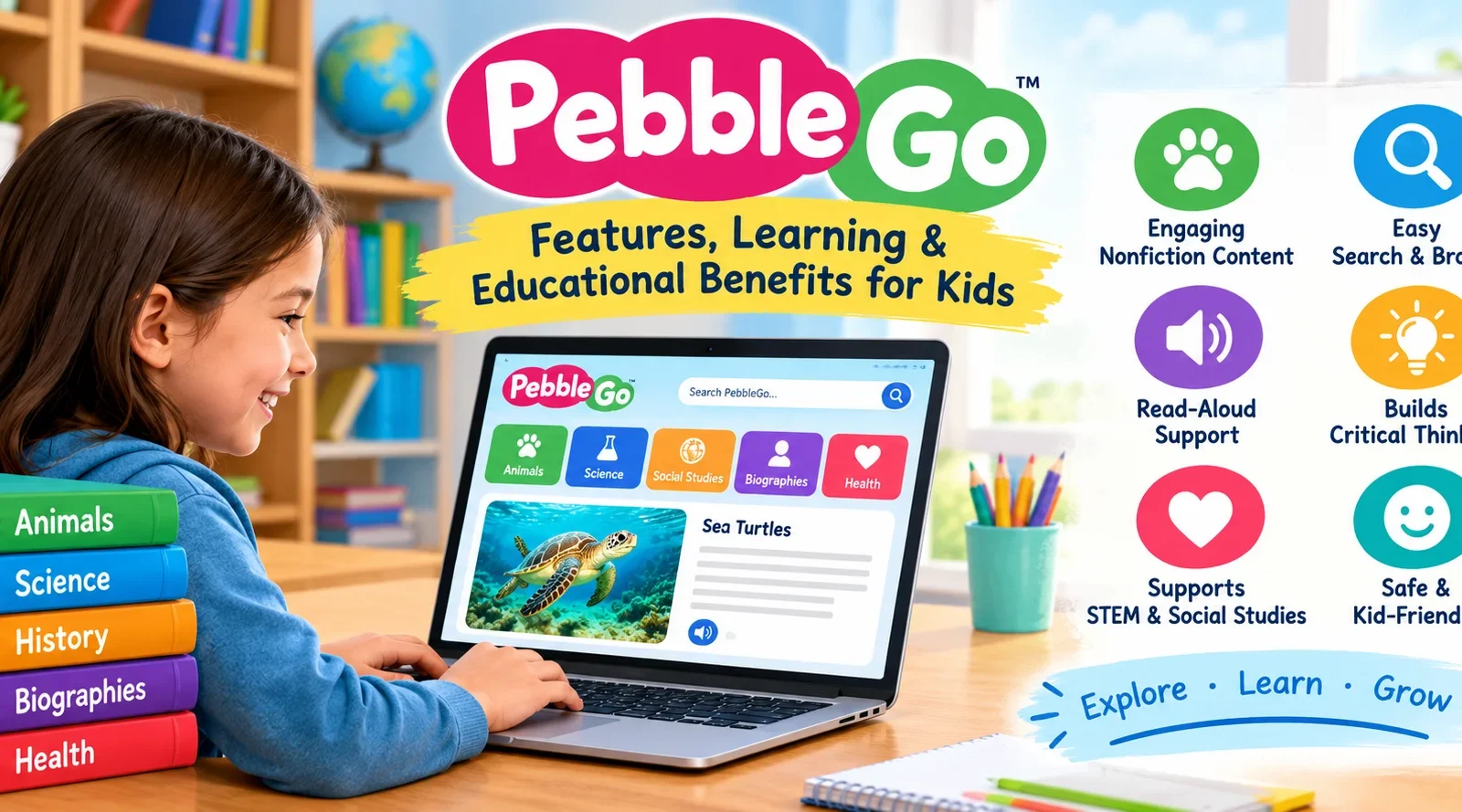
Helping children develop strong reading and research skills is an important part of elementary education. PebbleGo is a digital learning platform created to make educational information easier for young students to understand and explore. It offers age-appropriate nonfiction content, audio narration, vocabulary assistance, and interactive resources that introduce children to a variety of subjects.
For teachers, parents, and school librarians across the United States, PebbleGo can serve as a starting point for classroom research and independent learning. Students can explore topics such as animals, science, health, history, and influential people through a learning environment designed with younger readers in mind.
Understanding the PebbleGo Learning Platform
PebbleGo is an educational resource that organizes nonfiction information into subject-based collections for elementary school students. Unlike general search engines, which display information from countless websites, it provides a more focused environment where children can explore selected educational topics.
The platform is designed to help young learners build knowledge while developing the ability to read, understand, and communicate information. Its resources can support classroom instruction, school library programs, homework assignments, and supervised learning at home.
Access is generally provided through participating schools, school districts, and libraries. As a result, the available modules and login options depend on the institution’s subscription and configuration.
Why Elementary Students May Benefit From PebbleGo
Young students often need learning materials that introduce new concepts without overwhelming them with advanced vocabulary or lengthy explanations. PebbleGo addresses this need by presenting educational information in a format intended for developing readers.
Children can explore a topic, identify important facts, and use the information to answer questions or complete assignments. Teachers can also incorporate the platform into guided reading sessions and subject-based activities.
Another useful aspect is its focus on structured discovery. Students can begin with a familiar subject and gradually explore related ideas, helping them build background knowledge before moving to more advanced learning materials.
Key PebbleGo Features for Better Learning
1. Easy-to-Understand Nonfiction Content
PebbleGo offers educational articles written with younger audiences in mind. The content introduces important facts and concepts without requiring students to navigate complex academic publications.
For example, a child interested in wildlife might explore animal characteristics, habitats, diets, and survival behaviors. Another student might investigate weather patterns, the human body, or the achievements of a notable historical figure.
These articles provide a foundation for early research. Students can use the information to answer classroom questions, prepare short presentations, or develop ideas for further investigation.
2. Audio Narration and Reading Assistance
Reading support is an important feature of digital learning tools for elementary students. PebbleGo includes read-aloud functionality that allows learners to listen to available article text while following the words on the screen.
Text highlighting, where available, can help children connect spoken language with written words. This may be particularly helpful for students who are building reading fluency or learning unfamiliar vocabulary.
Teachers can incorporate these features into small-group activities. For instance, students might listen to an article, identify its central idea, and explain two important facts afterward.
Audio support can complement reading instruction, although children still benefit from opportunities to practice reading independently.
3. Vocabulary Development and Understanding
Learning new terminology is an essential part of understanding science, social studies, health, and other subjects.
PebbleGo’s educational content and available vocabulary supports can help students encounter unfamiliar words within meaningful contexts. Instead of memorizing isolated definitions, learners can connect terminology with the subject they are exploring.
A student researching ecosystems, for example, may encounter concepts involving habitats, adaptation, and food chains. Discussing these terms alongside the related information can improve comprehension and help students use new vocabulary more confidently.
The precise learning aids available may vary by article or subscription.
4. Interactive Resources and Multimedia
Certain PebbleGo materials include additional learning resources, such as videos, maps, timelines, games, and other interactive elements.
These resources can present information in ways that complement written explanations. Maps may help students understand geographic relationships, while timelines can clarify the sequence of historical events.
Multimedia activities can also give teachers additional ways to introduce a lesson or reinforce a concept after students finish reading.
Because features differ across modules and subscription arrangements, educators should verify which resources are available before preparing a specific classroom activity.
5. English and Spanish Content
PebbleGo offers English and Spanish educational resources, giving teachers additional options for supporting students with different language-learning needs.
In multilingual classrooms, Spanish-language content can help children explore familiar subjects while strengthening academic vocabulary in their preferred language. Related materials in English and Spanish may also support vocabulary comparisons and classroom discussions.
For educators, these resources can be useful when adapting lessons to different reading levels or language backgrounds.
Exploring the Main PebbleGo Subject Categories
PebbleGo organizes its educational materials into distinct subject areas. The core platform commonly includes Animals, Biographies, Health, Science, and Social Studies. PebbleGo Next extends the learning experience with additional material for older elementary students.
The following table outlines how students might use these subjects during classroom activities.
| Subject | Topics students may explore | Suggested classroom activity |
|---|---|---|
| Animals | Species, habitats, physical characteristics, and behavior | Compare the habitats of two animals |
| Biographies | Important people and their contributions | Prepare a fact sheet about a historical figure |
| Health | Personal well-being and basic health concepts | Discuss healthy everyday routines |
| Science | Natural phenomena, living things, and scientific ideas | Record observations and related questions |
| Social Studies | Communities, history, people, and society | Describe how a community functions |
The specific articles and resources available depend on the platform version and the institution’s subscription.
Learning With the PebbleGo Animals Module
The Animals collection can introduce children to wildlife, animal characteristics, habitats, and survival strategies. Students can use it to investigate differences between species and understand how living things interact with their environments.
A teacher might ask students to compare a desert animal with one that lives in a rainforest. Learners can identify differences in habitat, physical features, and access to food, then explain how these characteristics help each animal survive.
This activity connects digital reading with observation, comparison, and basic scientific reasoning.
Exploring People and History Through Biographies
The Biographies section gives students opportunities to learn about notable individuals and their achievements. It can support lessons about history, leadership, creativity, discovery, and contributions to society.
After reading an article, students might create a timeline of important events or explain how a person’s work affected other people.
These activities help learners organize information and distinguish major achievements from less important details.
Building Knowledge With Science and Social Studies
Science resources can introduce concepts related to nature, the physical world, and scientific processes. Social Studies materials can help students understand communities, historical developments, and how people live and work together.
Teachers can connect both subjects to practical assignments. Students might investigate a natural environment, research how a community uses local resources, or compare life in different geographic regions.
Connecting digital resources with classroom discussions makes the learning process more active and meaningful.
PebbleGo Next for Grades 3–5
PebbleGo Next is designed for older elementary learners, generally students in grades 3–5. It offers a more advanced research experience than the core platform for younger children.
Its subject collections include Animals, Biographies, Health, Indigenous Peoples’ History, Science, Social Studies, and States.
These materials can help students prepare for assignments that require more detailed note-taking, comparison, and explanation. For instance, a student researching a US state could collect information about its geography, history, and communities before preparing a presentation.
PebbleGo Next can also help learners become more comfortable working with subject-specific vocabulary and organizing facts around a central question.
The most suitable version depends on the student’s grade level, reading development, and learning objectives.
How to Access PebbleGo in the United States
Most students use PebbleGo through a school, district, or library that maintains an educational subscription. Access is not necessarily available to every student through an unrestricted personal account.
Families and teachers can follow these steps to get started.
Step 1: Ask About School or Library Access
Contact the school librarian, classroom teacher, or district technology department to find out whether PebbleGo is included among the institution’s digital learning resources.
Public libraries may also provide access to educational databases through their online resource collections.
Step 2: Open the Institution’s Access Link
Use the login instructions or website link supplied by the participating school or library. Starting from the institution’s approved link can help avoid confusion about the correct access method.
Step 3: Sign In Using the Supported Method
Depending on the institution’s setup, students may use assigned credentials or a supported sign-in service. Options may include Clever, ClassLink, or Google-based authentication.
The exact method varies, so students should follow the instructions provided by their school.
Step 4: Choose a Learning Module
After entering the platform, browse the available subjects or search for a topic connected to a school assignment.
Students should select resources that match the question they are trying to answer rather than collecting unrelated information.
Step 5: Read, Listen, and Take Notes
Explore the article and use available narration, vocabulary assistance, or multimedia tools when helpful.
Record important facts in your own words. Following the teacher’s instructions for note-taking and citing sources can make the information easier to use in a completed assignment.
If access fails, verify the login link and account details before contacting the school librarian or technology coordinator for assistance.
Is PebbleGo Free for Students?
PebbleGo is primarily a subscription-based educational resource supplied through participating institutions. Whether a student can use it without an additional personal payment depends on the school or library providing access.
For example, a school district with an active subscription may allow eligible students to use the platform as part of their regular educational resources. A student whose school does not subscribe may need to find another participating institution that provides access.
Before relying on the platform for an assignment, families and educators should confirm:
- Whether the school or library currently subscribes to PebbleGo.
- Which subject modules are included in the subscription.
- Whether students can access the resources outside school.
- What login credentials or authentication methods are required.
- Whether additional modules or features involve separate subscription costs.
Pricing depends on the subscription arrangement and other purchasing conditions. Schools and districts should consult the official provider for current quotes rather than relying on outdated prices.
Benefits of PebbleGo for Classrooms and Home Learning
PebbleGo can help children practice several skills at once when its resources are connected to a clear learning objective.
Five benefits are particularly relevant to elementary education:
- Improves reading engagement: Accessible nonfiction and audio support can make unfamiliar subjects easier to approach.
- Encourages exploration: Organized subject collections allow students to investigate interests and develop new questions.
- Supports classroom lessons: Teachers can incorporate articles into literacy, science, social studies, and library activities.
- Assists language development: English and Spanish materials can provide additional opportunities to develop vocabulary and subject knowledge.
- Introduces research skills: Students can practice selecting useful facts, taking notes, and explaining information in their own words.
The effectiveness of these features depends on how they are used. Simply opening an article may provide limited learning value if students do not reflect on the information or connect it to a specific task.
Practical Ways to Use PebbleGo More Effectively
Parents, teachers, and librarians can make the platform more valuable by encouraging active learning instead of passive reading.
Give Students a Clear Question
Start each activity with a question that guides the research process. For example, ask, “What helps an animal survive in its habitat?”
Students can then identify the facts that directly address the question. This approach gives their reading a purpose and reduces the temptation to collect unrelated details.
Introduce a Simple Note-Taking Method
Young learners may need guidance when deciding which information is important. A basic organizer with three sections can help them record a fact, explain its meaning, and write a follow-up question.
Encourage students to summarize rather than copy complete sentences. This builds comprehension and supports original writing.
Create a Short Presentation or Project
After reading, students can turn their notes into a poster, comparison chart, short presentation, or oral report.
For example, a student researching two animal species could create a chart showing their habitats, diets, and physical adaptations. This activity reinforces information through comparison and explanation.
Combine Digital Resources With Books
PebbleGo can serve as an introduction to a topic, but it does not need to be the only resource students use.
Teachers and librarians can recommend suitable nonfiction books, reference materials, or other trusted educational sources when an assignment requires greater detail.
Gradually combining resources helps students prepare for more complex research projects as their skills develop.
Encourage Discussion and Independent Thinking
Ask children to explain what they learned, compare related ideas, and identify information that surprised them.
Questions such as “Which fact best answers your research question?” or “What would you like to investigate next?” encourage students to think beyond simply locating information.
PebbleGo Compared With General Search Engines
General search engines can locate a wide variety of information, but the results may differ significantly in reading difficulty, reliability, advertising, and suitability for children.
PebbleGo offers a more structured environment focused on elementary learning. Its organized subject areas and available reading supports can make it easier for younger students to begin research without sorting through numerous unrelated webpages.
| Feature | PebbleGo | General search engines |
|---|---|---|
| Primary purpose | Guided educational research | Finding information across the internet |
| Intended audience | Mainly elementary students | People of different ages |
| Content organization | Curated subject modules | Results from many websites |
| Reading assistance | Built-in support in available resources | Depends on the selected website |
| Access requirements | Generally an institutional subscription | Basic searching is usually publicly available |
| Suitable application | Early research and classroom learning | Broad searches and further investigation |
Both approaches have a place in education. PebbleGo can provide an accessible starting point, while general searches may help students find additional information when they are ready for more advanced research.
Regardless of the source, children should learn to consider who created the information, whether it answers the question, and whether important claims are supported by other reliable references.
Limitations to Consider Before Using PebbleGo
Although PebbleGo is designed to simplify research for younger learners, a few limitations are worth understanding.
First, access depends on an institution’s subscription and login arrangements. Students should confirm availability before planning an assignment around a specific module.
Second, the material is written for a particular educational audience. Its accessible explanations may not provide sufficient depth for advanced academic work or highly specialized questions.
Third, some assignments require evidence beyond introductory nonfiction articles. Books, primary sources, classroom materials, and other trusted references may be necessary for a fuller understanding of a subject.
Finally, students still need guidance in evaluating information and developing their own ideas. Note-taking, paraphrasing, source awareness, and thoughtful discussion should remain part of the learning process.
Frequently Asked Questions
1. What is PebbleGo used for?
PebbleGo is an educational platform that helps elementary students explore nonfiction subjects, practice reading comprehension, and gather information for school assignments.
2. Can children access PebbleGo from home?
Yes, if their school or library subscription supports remote access and they have the required login information.
3. Does PebbleGo cost money?
The platform generally operates through institutional subscriptions. Students may receive access through a participating school or library without paying a separate personal fee.
4. Which grade levels does PebbleGo support?
The core platform is intended mainly for younger elementary students, while PebbleGo Next is designed for approximately grades 3–5. Exact suitability depends on individual learning needs.
5. Are Spanish resources available on PebbleGo?
Yes. PebbleGo includes Spanish-language educational resources, providing additional support for students and educators working in bilingual learning environments.
Final Thoughts
PebbleGo offers elementary students an accessible starting point for exploring educational subjects and developing essential research habits. Its nonfiction articles, read-aloud features, vocabulary assistance, and organized subject collections can support learning in classrooms, school libraries, and participating households.
For US educators and families, PebbleGo can be a useful addition to an elementary learning toolkit, particularly when it is combined with books, guided instruction, and opportunities for students to explain their discoveries in their own words.



One thought on “PebbleGo: Features, Learning & Educational Benefits for Kids”